- My Main Computer
- Things that don’t need a tag
- OS: Artix Linux
- Desktop Environment: I3 (X11)
- Compositor: Picom
- Terminal Emulator: Wezterm and Urxvt
- Shell: ZSH
- Version Control: Git
- Text And Code Editor: Vis
- Old Text And Code Editor: NeoVim
- Audio: Pipewire
- Local Wiki: Wikiman
- showmethekey/screenkey (for x11)
- Voice Control: Numen
- App Launcher: rofi-wayland
- URLView
- RSS Feed Reader: NewsBoat
- VR: WiVRn (xrizer)
- Backups And Remote Syncing: RSync
- Secondary Syncing: RClone
- Theme Setter
- Chafa
- File Searching: FZF
- FZF Thumb
- gen-thumb-md
- Youtube Playlist Cli
- Terminal Multiplexer: TMUX
- Btop
- Browser: Librewolf
- Dotfiles Deployer
- Language Learning: Anki
- MineCraft Launcher: PolyMC
- Password Manager: KeepassXC
- Freedom Internet: I2P, Yggdrasil
- Voice Chat: Mumble
- Messenger: XMPP (Gajim)
- Asciidoc
- Web Host: x10hosting
- Home Lab
- cool mentions
Original Creation Date: 2026-03-04T21:17:29
|
Note
|
Subject To Change |
Haven’t posted anything since… ever. But I had a idea of making a Document on everything I use in my day to day.
This is a general document on everything I use on my day to day, or on occasion.
This will not go into what everything is. Such as "what is a Shell?". Thats for you to google.
My Main Computer
Things that don’t need a tag
-
Steam. Of course. Gotta game
OS: Artix Linux
I dislike systemd. And I like the simplicity of OpenRC. So this is a nice pick for me. It is pretty much Arch without systemd.
Here is some more constructive reasons on why to dislike systemd.
My personal takeaway is systemd is trying to be everything when its just supposed to be a init system. And also it assimilates Mount, Sudo, and Socat.
I also have the Arch Linux repos added to my install. Some software I want to use is neither in the Artix main repos or the AUR.
AUR (Arch User Repository)
WiVRn and other software I need to use isn’t in the main repos So I also use the AUR.
Chaotic Aur
Unlike the AUR where anyone can upload any package. The Chaotic Aur has (As far as im aware) people that actually look at the package builds and compiles them for you for you to just download the bins. Yes there is bins on the AUR but its not as scrutinized like the Chaotic Aur is.
Flatpak
I also use flatpak’s because some software that works better in it or will not compile without systemd. Like Anki.
Desktop Environment: I3 (X11)
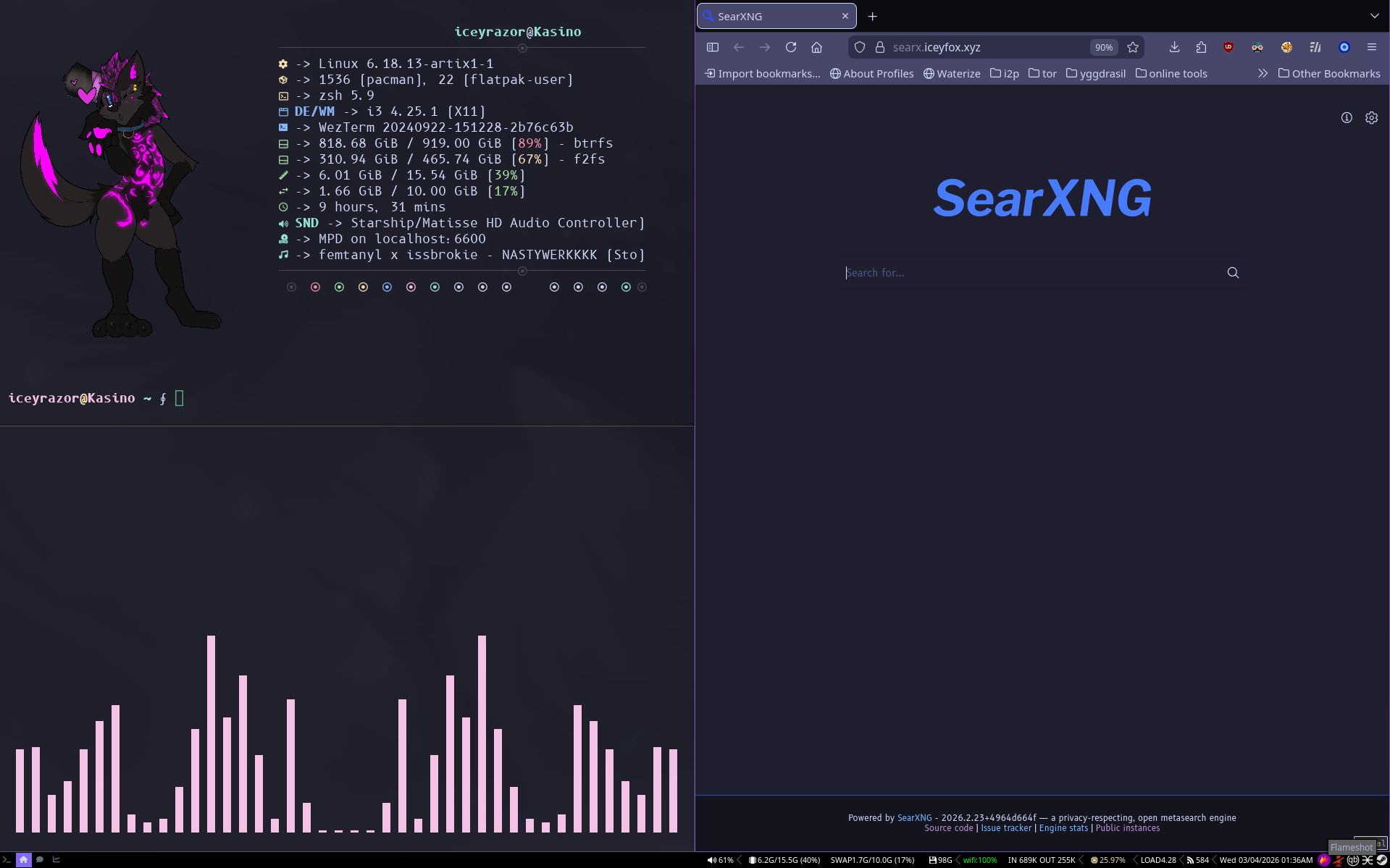
I Love a tiling window manager. And I like tabbed windows. I3 is the best fit for me. Wayland doesn’t work very well on my machine. Mainly when i’m in VR and in games like VRChat or Resonite. My terminal wont open. Urxvt, Librewolf, and Discord only render when its small. When its bigger it has a Graphical Stroke.
I’ll probably make another blog post about this too.
I may also try getting tabs in DWM or AwesomWM.
Compositor: Picom
A Compositor adds stuff like transparency, blur, and rounded borders for windows. I mainly use xcompmgr because things were weirdly slow with picom. But will switch to picom.
Terminal Emulator: Wezterm and Urxvt
I use the terminal to do basically Everything. Most programs I list here and server management I do is through the terminal. TUI means Terminal User Interface.
My primary terminal is Wezterm. I like it because it uses Lua for configs and supports Sixel and the Kitty protocol for images.
My secondary is Urxvt. It has the best memeory management I found so far and can do fake transparency which just renders your wallpaper behind it.
Shell: ZSH
It’s C. It’s fast. It’s not GNU. I also use vi mode in all shells I use. I like visual mode and word navigation
Version Control: Git
I’m a programmer who post their projects. Of course I use git.
Text And Code Editor: Vis
Pretty much everything I make I use NeoVim and recently Vis. Mostly programming. I’m writing this page in Vis right now.
Unlike other text editors, you have different modes you switch between. You start off in normal mode. Where you can navigate ← h / ↓ j / ↑ k / → l. And can navigate words with w, b and e. You can do actions with these motions, for instance delete a line dd. Delete 3 lines d3j. Delete 3 words d3w. And alias these to macros.
Typically you do more with these but to do so is. Press qwd3jq. Then do @w. Or to do it more times 3@w
Vis does multi line or editing multiple places a little different than Vim. You use multiple cursors instead of visual line or visual block mode. You can just do C-J or C-K to get multiple cursors above/below your current. Or search with x/query/ and it will give you multiple cursors at each result. I like multi cursor more.
Vis is smaller than NeoVim or vim because it does not have VimScript (Vim). A Domain Specific Language. Or legacy code (NeoVim) that makes the project bigger than it needs to be. It also doesn’t have good splits, tiling, or tabs encouraging you to use your DE/WM or multiplexer.
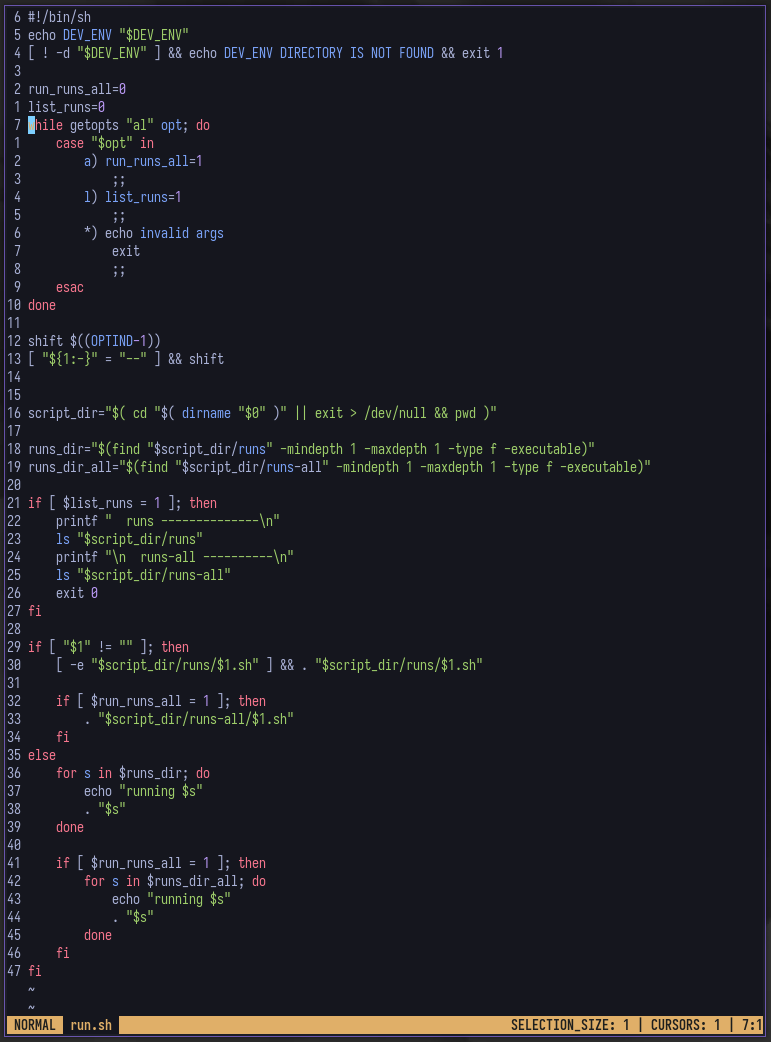
Plugins I use are.
-
vis-autoclose - autoclosing brackets.
-
vis-chain - my plugin i made to use
^for previous file. and a semi-harpoon like plugin. -
vis-colorizer - doing a #ffffff color shows that color in my terminal.
-
vis-format - code formatter.
-
vis-lspc - LSP for vis. Pretty EZ to add your own lsp’s to this.
-
vis-modal - status line for Vis.
-
vis-spellcheck - Has some conflicting issues with lexer syntax highlighting when typing but generally works well enough.
for tiling i just use tmux.
Old Text And Code Editor: NeoVim
NeoVim is the previous editor I used. I still use NeoVim sometimes if I want to use my DAP. But I will be switching to just using GDB.
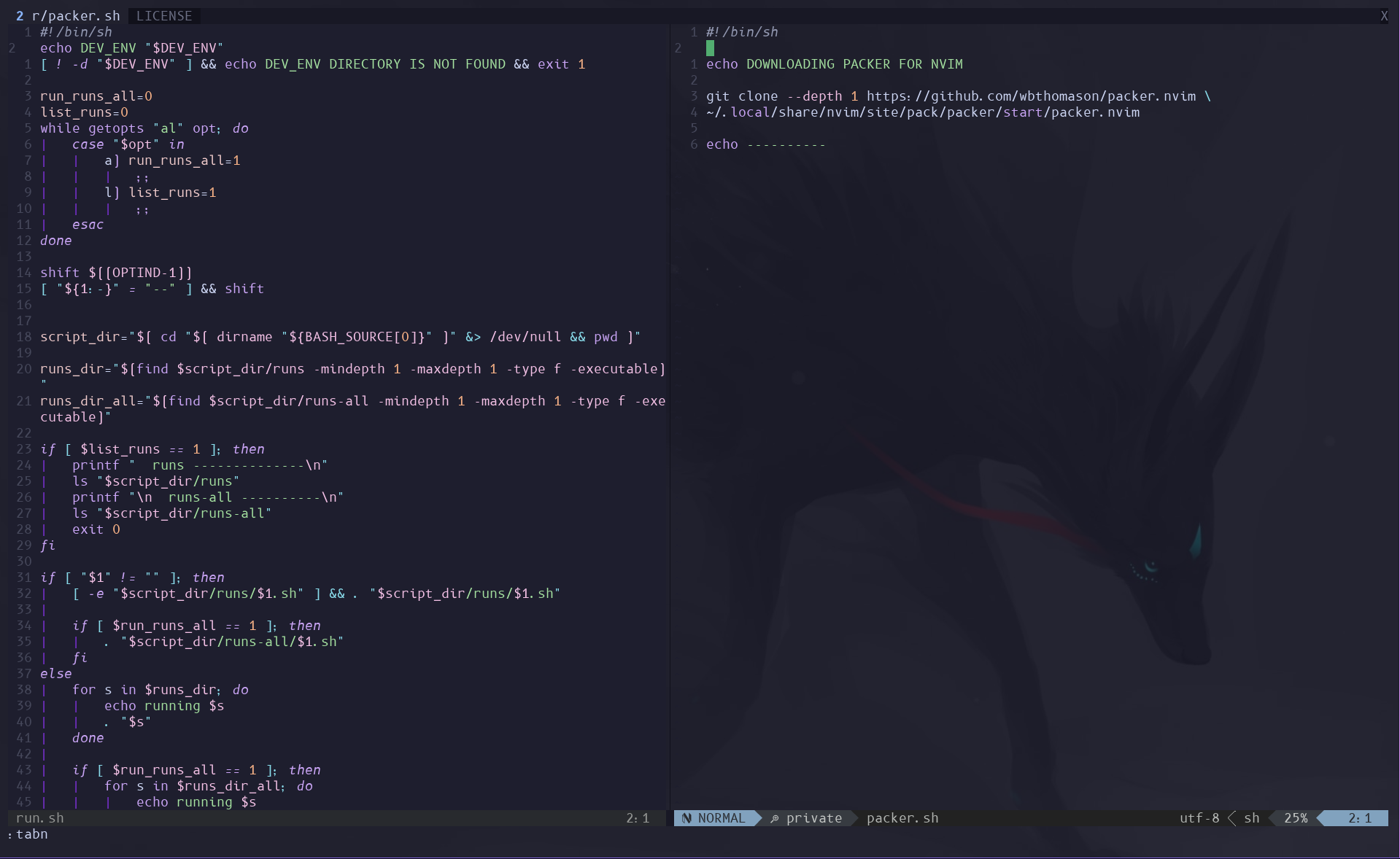
It can do splits and tabs
telescope
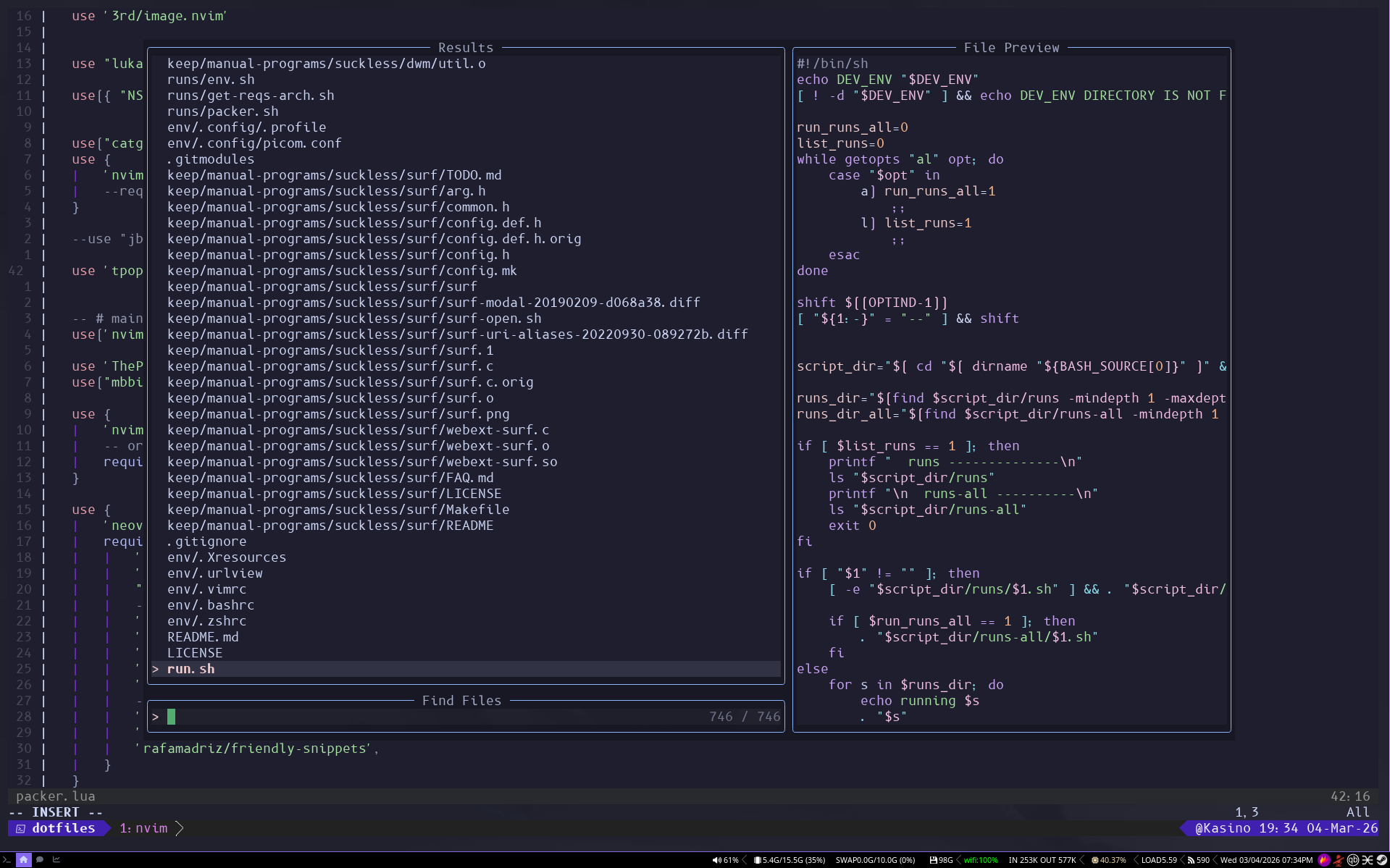
I also use quite a few plugins. One of which is telescope. It gives me a fuzzy finder in vim for searching files (More below on FZF). I have my setup to use ripgrep so I can exclude .Git and directories I wouldn’t use. And to include my .(dot) files.
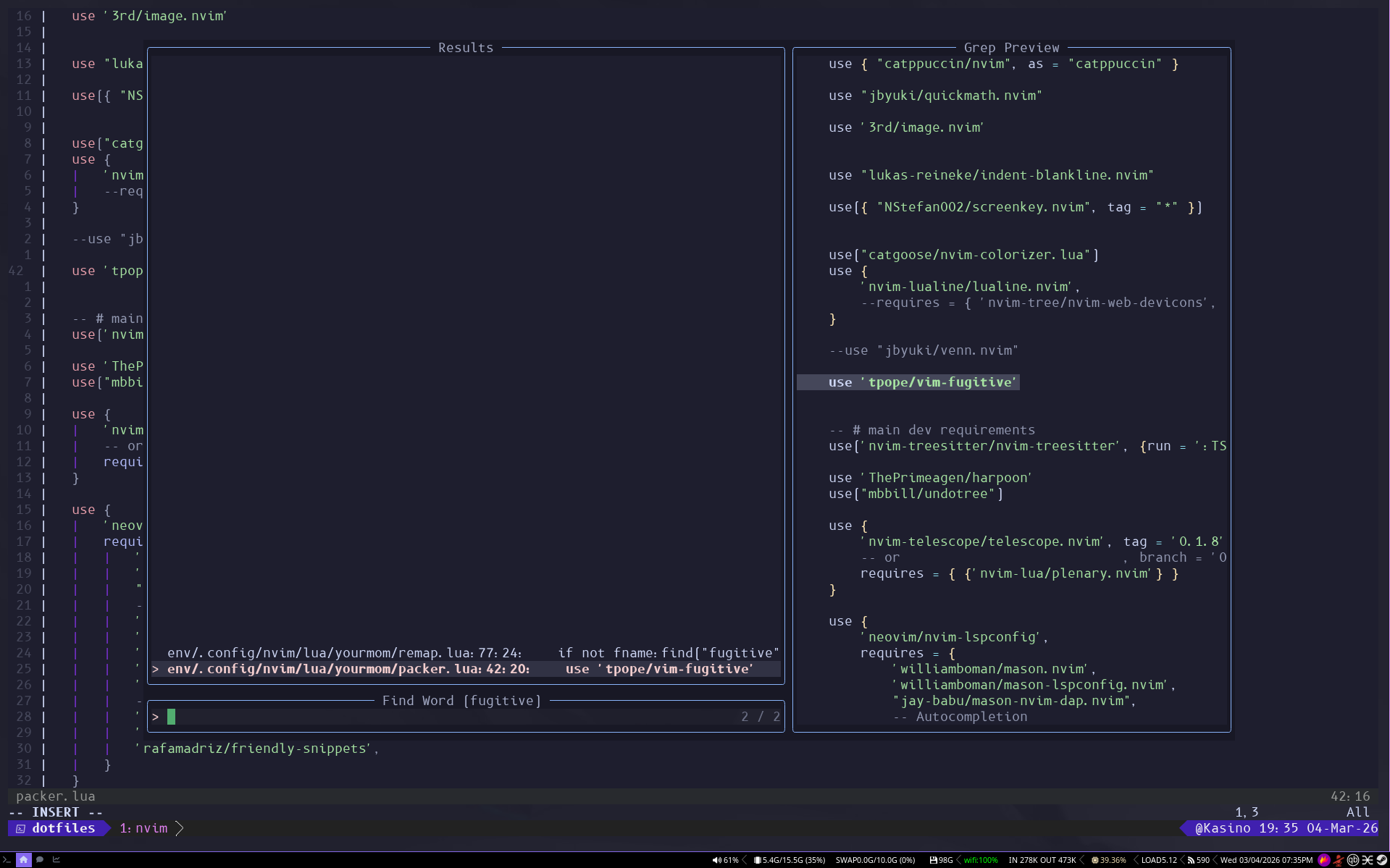
It also has a word search option so I can use.
I use packer for plugins.
harpoon
I can add files to a list relative to my project root (either the git directory or the current folder the opened file is in). And open that list and switch to them. And I have the first 4 items in that list binded to a key.
I mostly use telescope’s buffer viewer to switch files.
Language Server Protocol: lspconfig
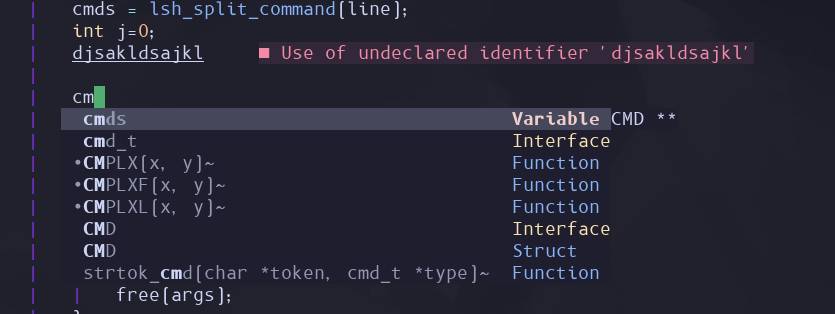
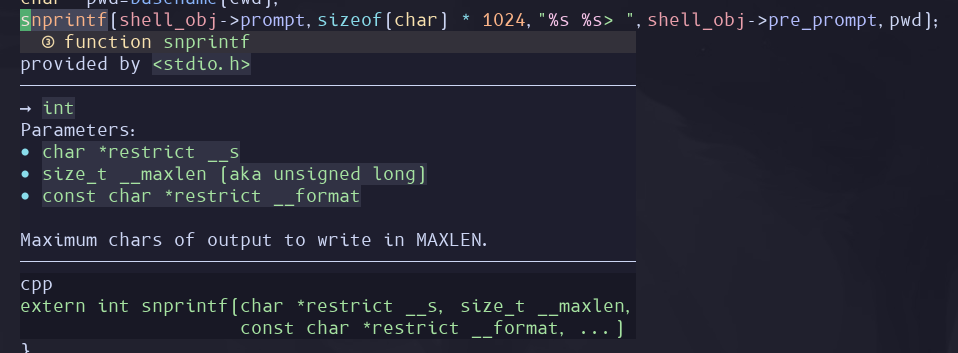
One of the most important tools I have for programming. A LSP gives you errors, debugging information, as well the ability to autocomplete function names and variables in the editor
git: vim-fugitive
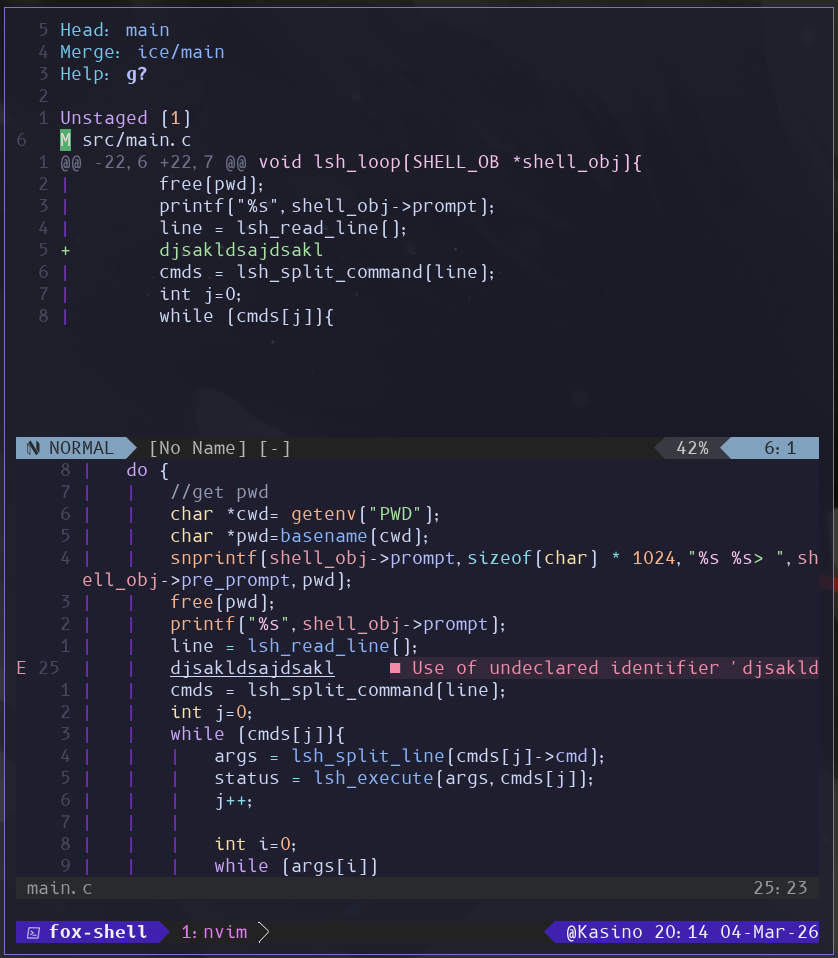
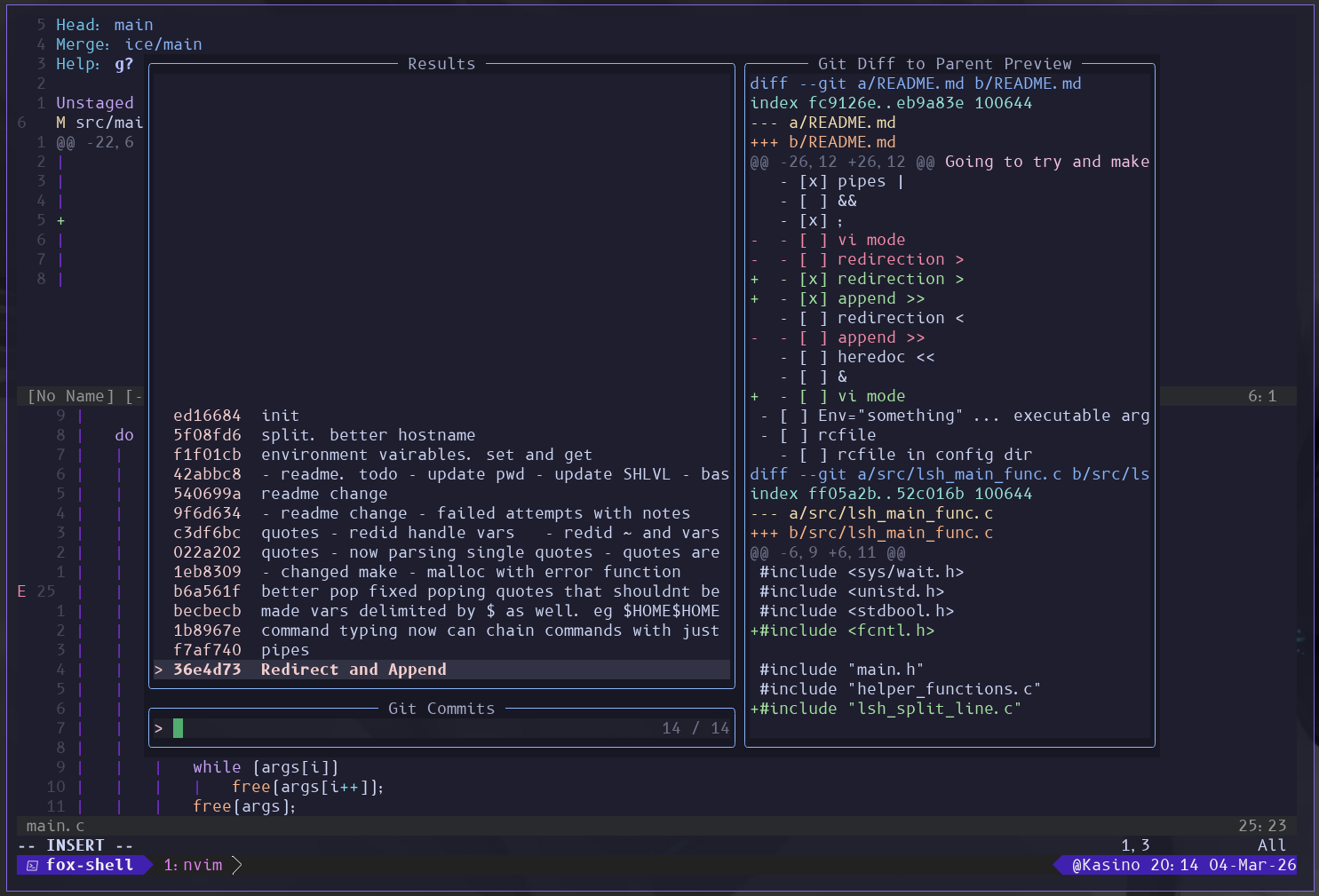
Allows me to view git history, add and commit, and view diffs within vim. I use this all the time in my projects.
Audio: Pipewire
I use pipewire-alsa, pipewire-pulse, and pipewire-jack. I’ts good and it just works.. Mostly. I do have this minor issue where when my CPU is being overused the audio crackles. But overall it just works™
Qpwgraph
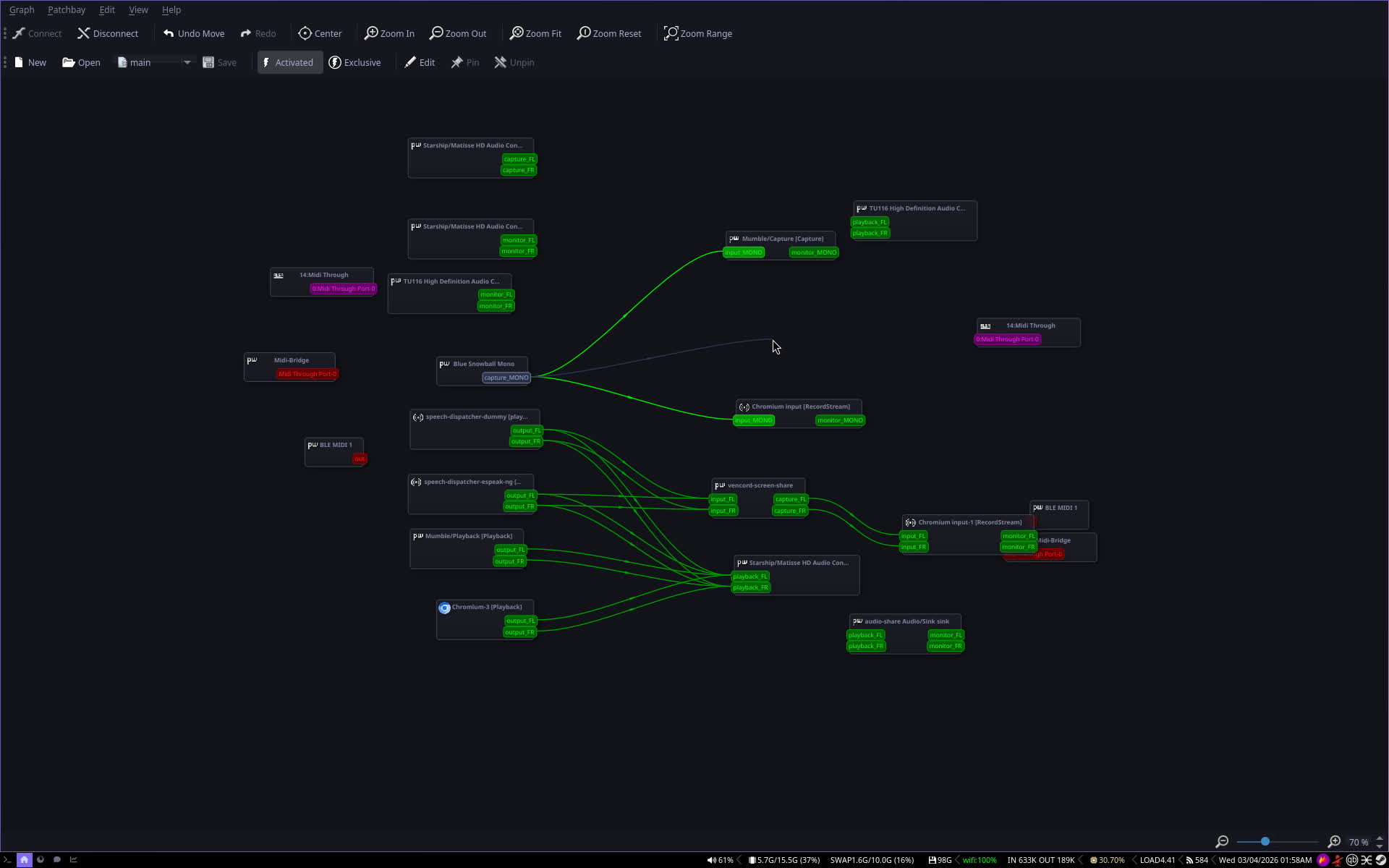
A Very nice QT6 visual software to display your IO for pipewire. It allows you to also route audio from one place to another by just dragging it. You can also set Active and if that audio device reappears. It will automatically make that connection. Likewise exclusive will remove connections you didn’t make.
There is a Jack version called QJackCTL
Carla
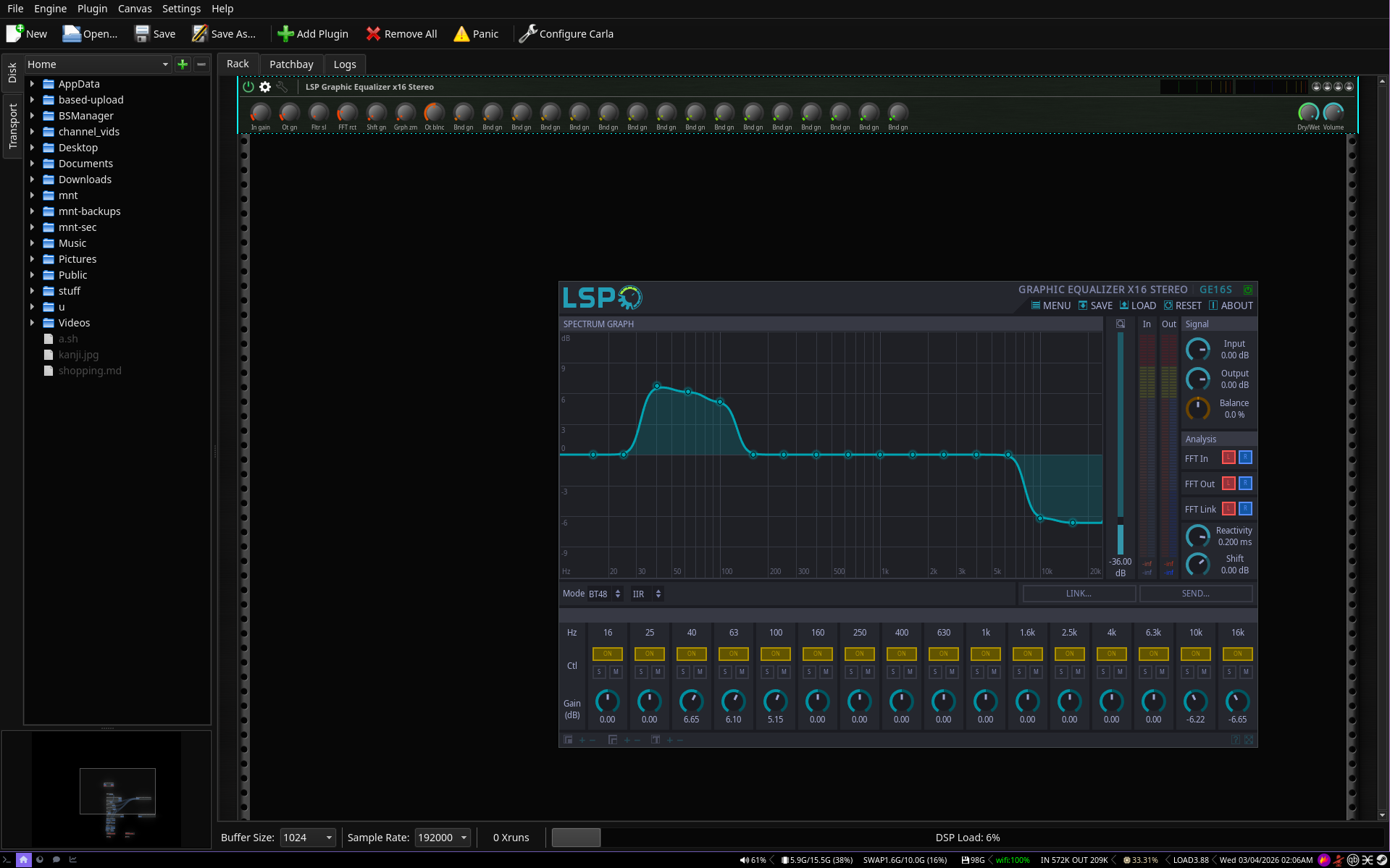
Qpwgraph cant do audio effects. It just routes audio. That’s where Carla comes in. I can use VST’s and lv2’s in this. I mainly just have lsp-plug. Its Free. Just move lsp-plugins.lv2 directory to ~/.lv2.
I did have a reverb plugin but I don’t remember where it is.
cava
Pretty simple. It’s a TUI audio visualizer. see #Desktop Environment: I3 (X11)
Music Daemon: MPD (Music Player Daemon)
This is just a no ui music player daemon.
Music: RMPC
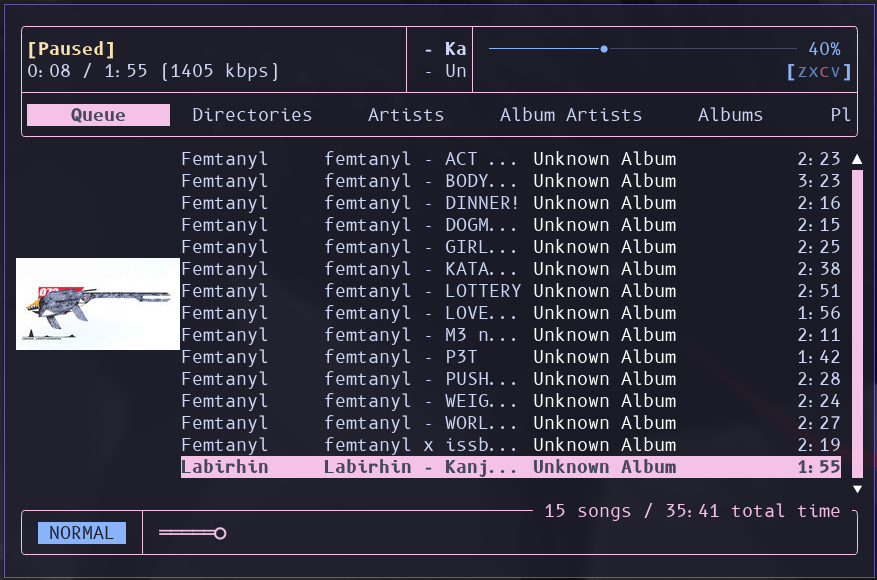
A TUI client for mpd. I use it and MPD to play my music.
You can add a subtitle karaoke plugin if you wanted to.
Local Wiki: Wikiman
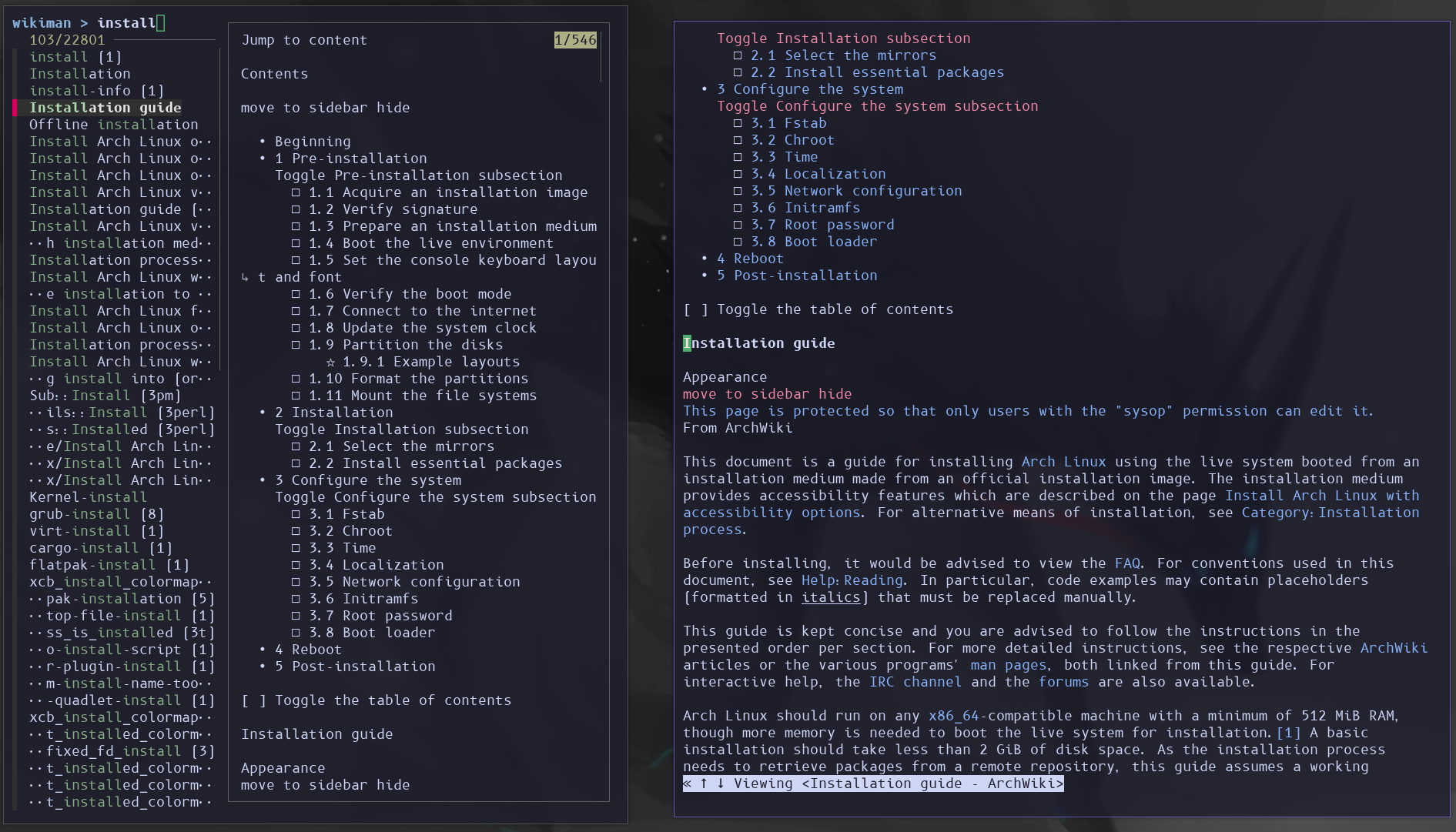
Pretty much just a TUI local wiki viewer using FZF and W3M. I also added the arch wiki.
showmethekey/screenkey (for x11)
Displays the key being pressed. Useful when screen sharing.
Voice Control: Numen
I dont use numen very often but its still pretty cool. It allows you to press keys using Dotool or XDotool and run commands using voice commands.
App Launcher: rofi-wayland
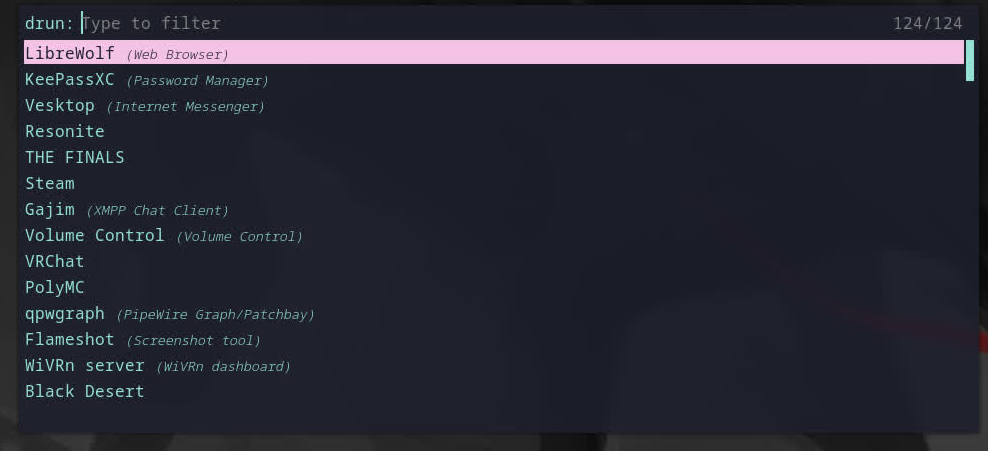
Works on X11 too.
What I use to launch apps. I can also pretty easily make scripts that gives me my own menu selections for this and do things with it.
I just press Windows key + d to open this ui and then type lib hit Enter and librewolf opens. It sorts by most used and loosely search’s what you type. I also have Ctrl + J/K for up and down.
URLView
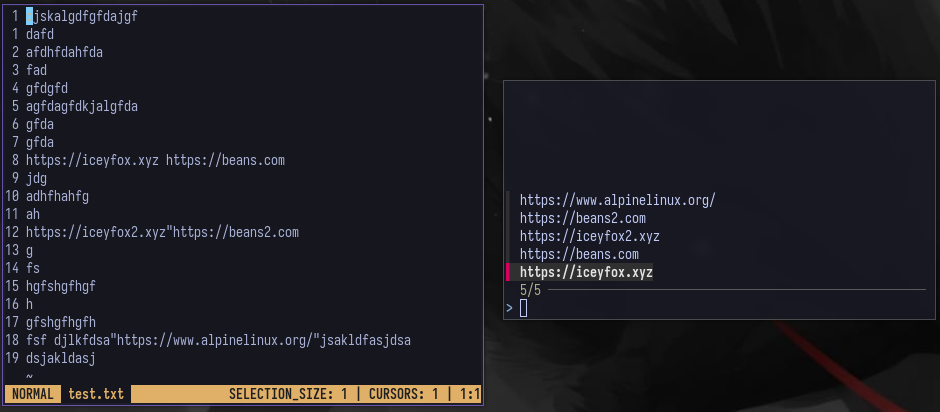
Example cat test.txt | urlview.sh
just a shell script that takes stdin and gets just urls. this is in my dotfiles.
RSS Feed Reader: NewsBoat
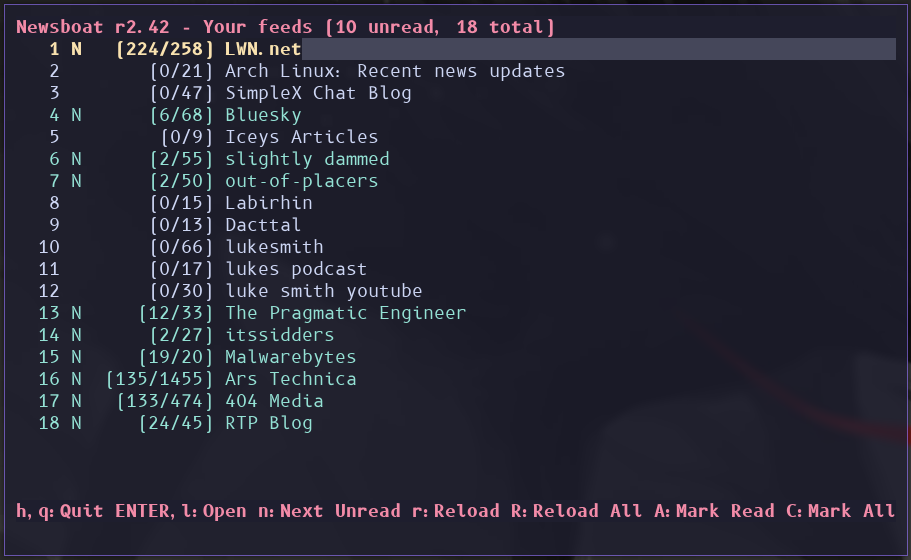
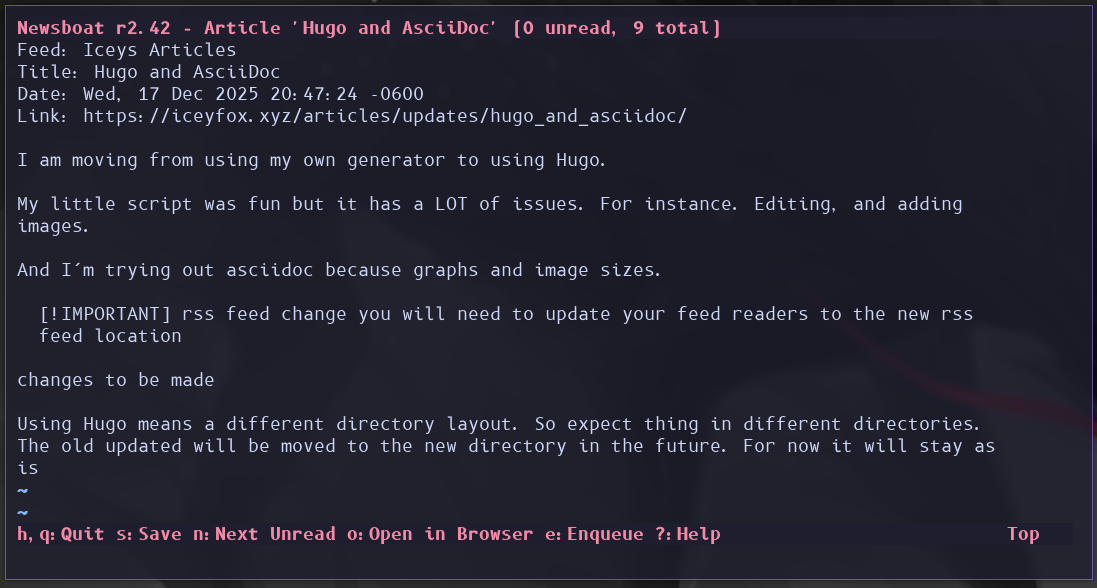
I follow news RSS feeds using NewsBoat. RSS is pretty much just a file on a web server that is just XML. And RSS feed reader’s can look download these pages and track what articles you have viewed.
I have this setup to use URLView to pull urls from a feed.
Other RSS feed readers have a much easier to use GUI’s.
Example echo "https://www.youtube.com/channel/UCOBfHd00-1HBu8bwXV63OSw" | get_channel_id
VR: WiVRn (xrizer)
What I use to play vr. I use the AUR package and other than having to remove the systemd build flags. Runs fine. Though a VR view would be nice.
Desktop View: WayVR
Allows me to view my desktop and it has a play space mover.
Backups And Remote Syncing: RSync
CLI Application
On my dotfiles. I use RSync to backup all my stuff to my backup drive, Homelab, and servers.
Secondary Syncing: RClone
While RSync is very good. It’s required to be on the server to work. RClone works with basically every type of file transfer.
Theme Setter
Theme Setter is a small bash script I use to change my theme and a wallpaper wrapper script to use the same command to set my wallpaper on any Desktop Environment/Window Manager.
Chafa
Terminal image viewer that I use aside from the Kitty Protocol.
File Searching: FZF
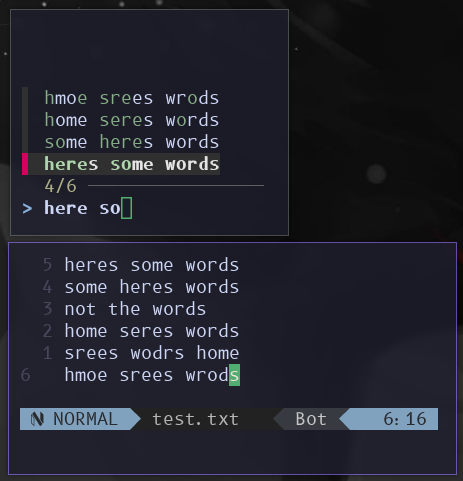
FZF is a Amazing tool! It allows you to loosely search through any text by line. You can Do things like have a list of items, select that item, and do something with that selection.
By default. Just running FZF will use the files in the current directory and every directory inside allowing you to quickly search files.
I use it in most of my scripts I make.
Here’s a example. Say we have a list of urls.
And I want to open https://iceyfox.xyz.
I can first start of by cating the file. Then pipe that into fzf. Then xargs xdg-open. Which will take the output of fzf (our selection) command and use it as the first arg in xdg-open. The final command is cat test.txt | fzf | xargs xdg-open.
FZF Thumb
FZF Thumb is a script which will list files in a directory like normal FZF but will generate thumbnails using Chafa.
gen-thumb-md
gen-thumb-md generates a markdown file that list files in the current directory and generates thumbnails and list that too.
Youtube Playlist Cli
This I use A LOT. Youtube Playlist Cli is a YouTube playlist in a SQLite3 database. I have 3 ways of viewing it.
-
FZF using chafa for images
-
modified gen-thumb-md but for youtube
-
web viewer front end scripts
Terminal Multiplexer: TMUX
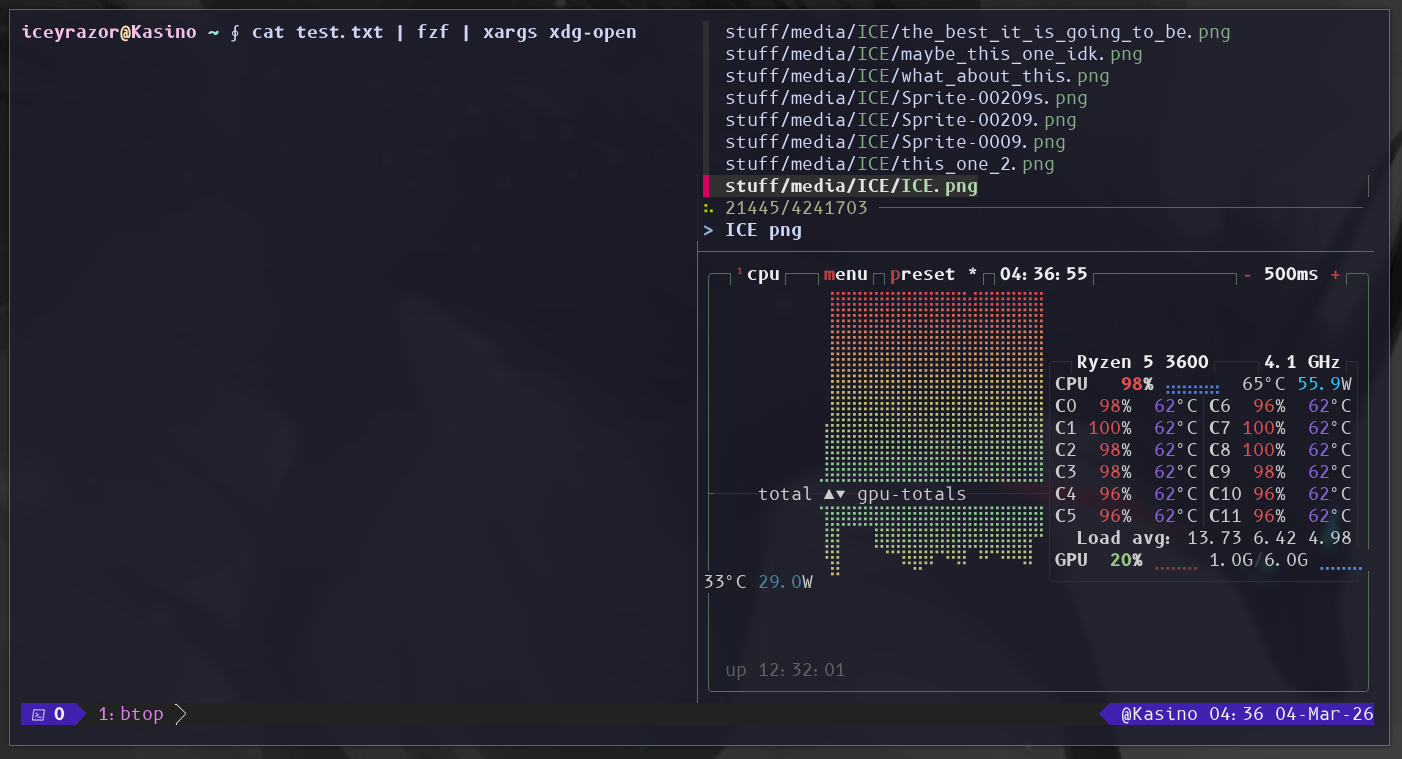
TMUX. A Terminal Multiplexer. Allows you to split, tab, window, and create multiple terminal sessions that you can detach from and come back to later even in the TTY. Useful for if your terminal keeps crashing or ssh.
I also use a slightly modified Primagen TMUX sessionizer to quickly create a new tmux session at one of my project directories using FZF.
Btop
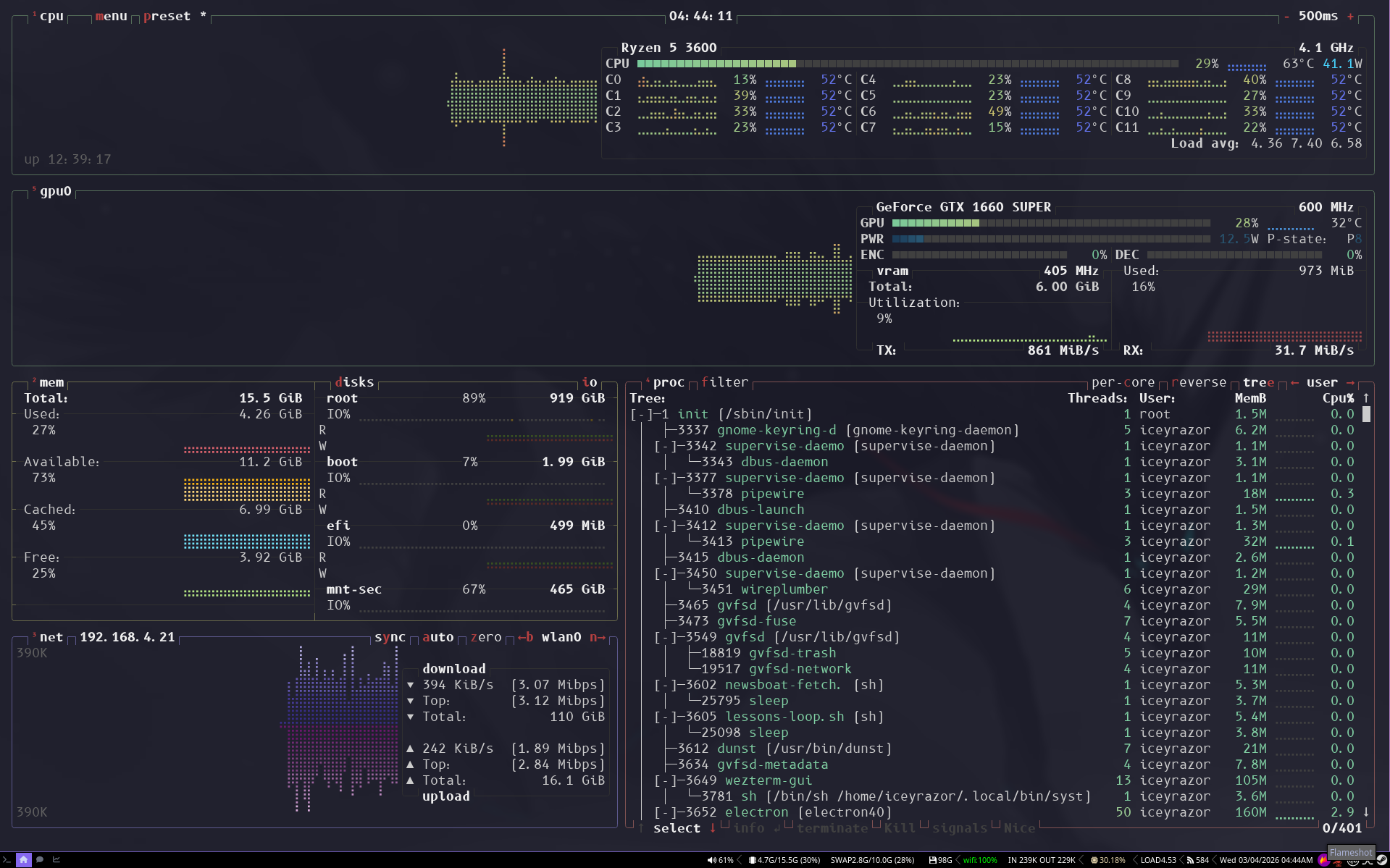
System Stats + Task manager but in the terminal. Better than Htop.
Browser: Librewolf
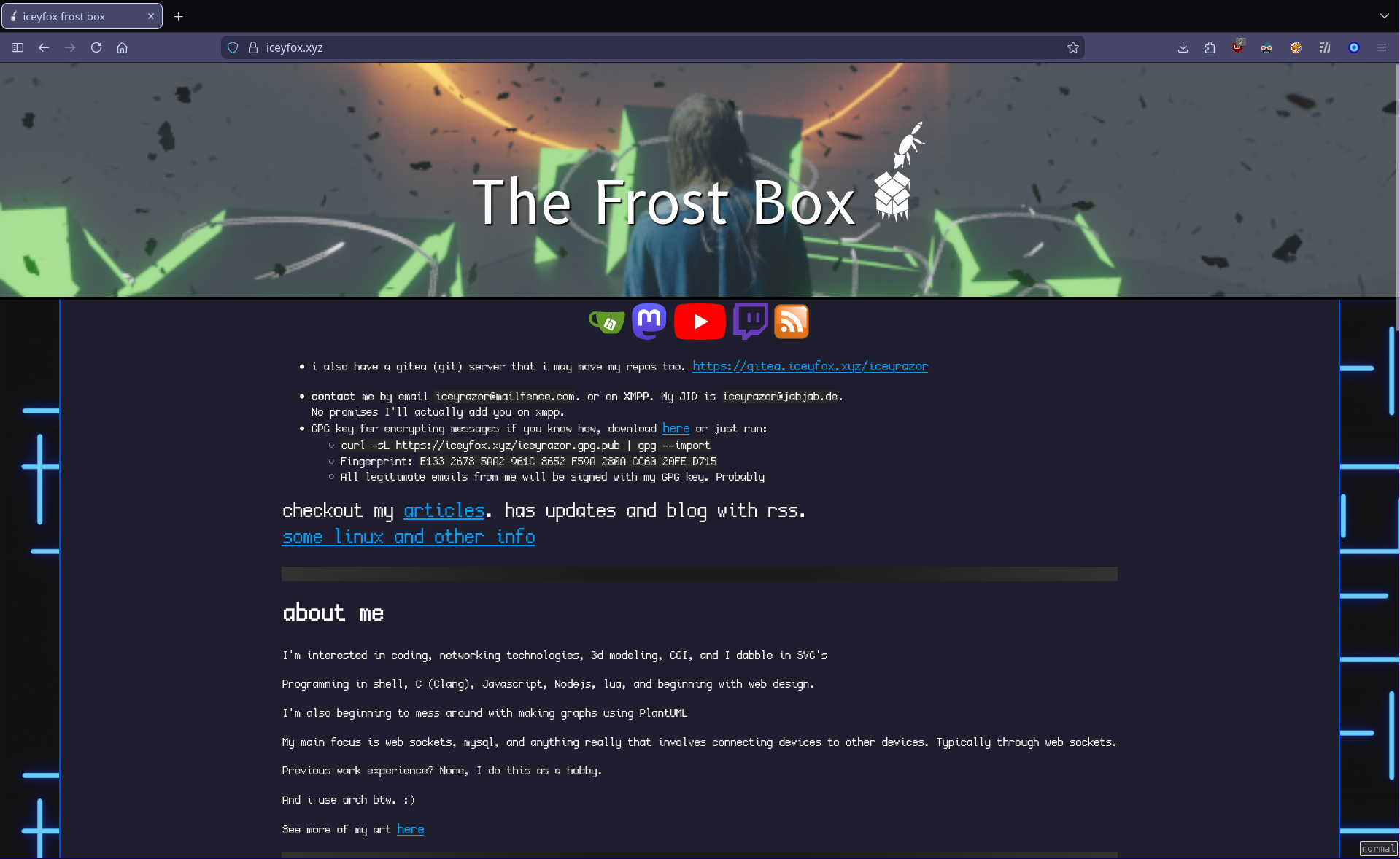
Tis guud browser. Simple. Does web stuff. Just works™. Turn on cookies.
I use a User.js script to change a lot of the settings for librewolf.
Extensions I use.
-
ClearURLs. remove tracking elements from URls
-
Dark Reader. dark mode for every website. I cattpuccin theme.
-
DeArrow. Crowdsourcing titles and thumbnails to be descriptive and not clickbait.
-
FoxyProxy proxy managment. used for freedom nets (more below) by url type. eg .i2p will goto i2p proxy.
-
Get RSS Feed URL. gets me a RSS Feed.
-
Indie Wiki Buddy. better wiki alternative to mainstream ones.
-
Return YouTube Dislike… -_-
-
Side berry. tree style tabs>
-
Skip Redirect. skip intermediary pages that some pages use before redirecting to final page.
-
Stylus. Youtube Cattpuccin Theme and global css
-
Tridactyl. vim motions but for the browser
-
uBlock Origin. block ads even on youtube. just works™ for me
i have this css. Everything shall return to square
*{
    border-radius: 0px !important;
    box-shadow: none !important;
}
Dotfiles Deployer
I have a alias in my .config/.profile that runs run.sh in my dotfiles to deploy my dotfiles from my downloaded repository.
Language Learning: Anki
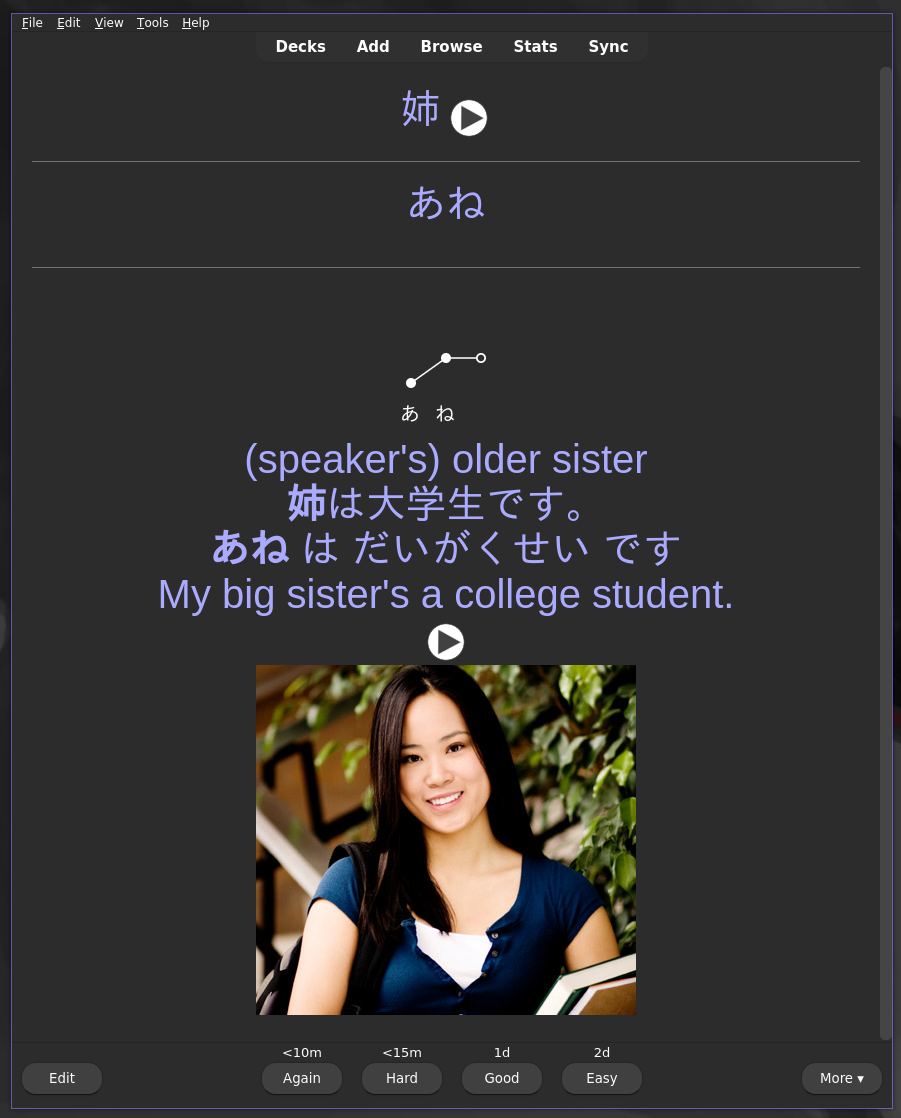
Language learning software that uses flash cards and timing to give you flash cards just about at the time that you would forget that word to strengthen your memory of it. Useful for learning the vocabulary of a language.
The pack I have for Japanese has pitch accent, image and audio examples, written and spoken versions.
Recomended Anki Decks from JouzuJuls. i’m only using the first one right now.
MineCraft Launcher: PolyMC
tis gud and small launcher. It just works™
Password Manager: KeepassXC
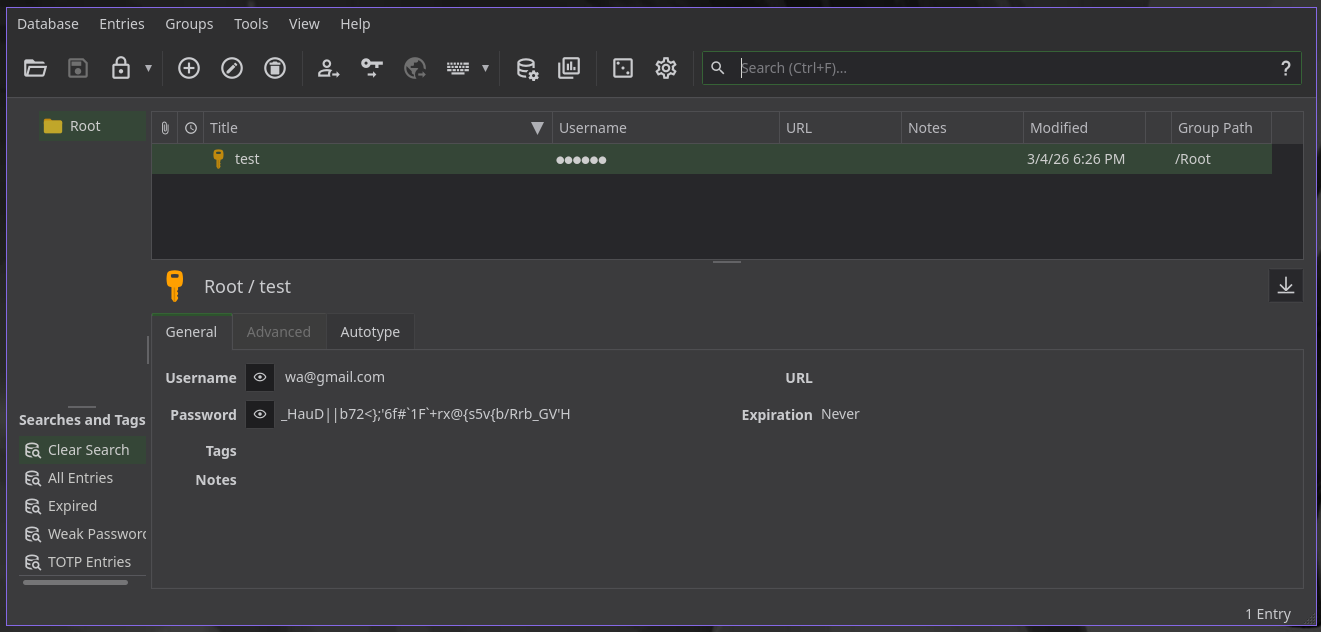
The password manager I use. It has a random password generator built in. And it has a offline ui and database and if I wanted to I could start a server for it in my homelab. I don’t. I just copy the .kdbx file where I need it.
Freedom Internet: I2P, Yggdrasil
Yggdrasil and I2P have different priorities. I2P focuses on privacy and anominity. While Yggdrasil focuses on anti censorship. Yggdrasil’s network speed is faster and I use it for some servers.
There are interesting websites on I2P. Like memes.
Voice Chat: Mumble
"Mumble. Isn’t that ancient?". Water is ancient should we stop drinking water?
Mumble is pretty much TeamSpeak3 but smaller, not proprietary. Does client to server encryption. And isn’t a freaking web browser. Like discord is. It does voice chat only and has temporary side chat for text and images. It does primarily one thing and it does it well.
Downside is unlike discord, it doesn’t have multiple spread out servers to handle voice lag by having servers you connect to close to you. So if you have bad internet or the server has a bad connection there will be lag.
Using Yggdrasil can surprisingly sometimes reduce lag.
Messenger: XMPP (Gajim)
Clients send data by PUTing it to a ‘room’ on their server, which then replicates the data over all the Matrix servers participating in this ‘room’.
Unlike Matrix, which syncs all messages in a group chat to all home servers. XMPP is way simpler. I just like it more for it simplicity. Never had a issue with messages not being delivered.
And I personally don’t like how end to end encryption works on matrix. Each person you are talking to should verify new keys you add to your account. Not you use first account to verify your second account.
Asciidoc
Asciidoc is what I’m writing this in right now. It’s like Markdown. But has better standardization. As a example ill put some raw Asciidoc in a box below. AsciiDoctor can export to html and PDF’s natively. If I need more I can use Pandoc.
=== Language Learning: Anki

image::anki.png[anki.png,500]

Language learning software that uses flash cards and timing to give
you flash cards just about at the time that you would forget
that word to strengthen your memory of it. Useful for
learning the vocabulary of a language.

The pack I have for Japanese has pitch accent,
image and audio examples, written and spoken versions.

https://docs.google.com/document/d/
1yRtrD9MrqvmTfhwyC0V5yLdMILOIB8gr_kxAslnrl5g/edit?pli=1&tab=t.0[Recomended Anki Decks]
from JouzuJuls. i'm only using the first one right now.

// Modified for
It can also do graphs
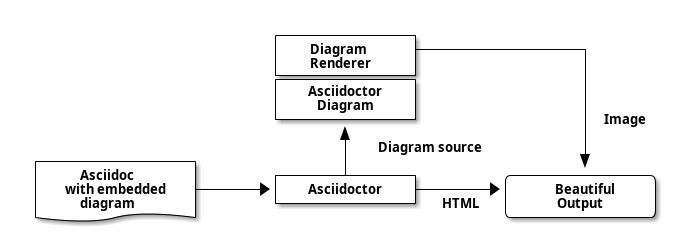
[ditaa]
-----
                         +-------------+
                         |   Diagram   +----------------+
                         |   Renderer  |                |
                         +-------------+                |
                         | Asciidoctor |                |
                         |   Diagram   |                |
                         +-------------+                | Image
                                ^                       |
                                | Diagram source        |
 +---------------+              |                       v
 |    Asciidoc   |       +------+------+        /-------+------\
 | with embedded +------>+ Asciidoctor +------->|   Beautiful  |
 |    diagram {d}|       +-------------+  HTML  |    Output    |
 +---------------+                              \--------------/
-----
PlantUML
PlantUML is more graphs. You need asciidoctor-plantuml to use this in Asciidoc. This and Asciidoc is accepted in scientific journals
Example.
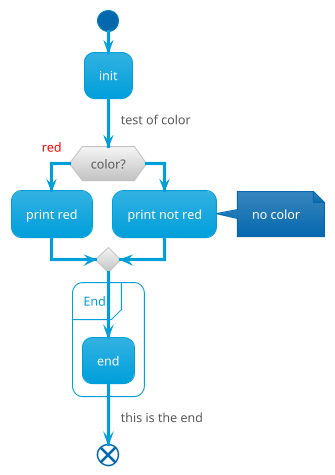
[plantuml, example_uml, png]
-----
@startuml
!theme bluegray
start
:init;
-> test of color;
if (color?) is (<color:red>red) then
:print red;
else
:print not red;
note right: no color
endif
partition End {
:end;
}
-> this is the end;
end
@enduml

-----
Web Host: x10hosting
I use https://x10hosting.com as a host for my main website for now. It’s free (or was) and offers php on the backend. Sadly though they do not do SFTP and only do FTP. Which confuses me Greatly.
CloudFlare
I use CloudFlare because DDOS protected proxy. I will move away from this eventually.
Home Lab
OS: Alpine Linux
Openrc, Musl, It just works™. download gcompat if you need gnu c libraries.
Git Server: Cgit
The git server I use for public facing repository. Doesnt allow git clone --depth 1 which sucks. All my repos are pretty small so not the biggest deal.
Video Host: Peertube
Video host. Like youtube but self hosted and peer to peer comments. Like Mastodon.
Streaming: Mediamtx
A small server for streaming. Like twitch. I can do zero latency streaming which depending on the network can be as low as 1 second. I can effectively screen share.
Iptables
Firewall.. not much else to explain. Much simpler to just use UFW(Un Complicated Firewall).
Web Host: Caddy
The web host server I use on my home lab. I also use this to reverse proxy everything and slap TLS on them.
cool mentions
eDexUI
edex. A electron(browser) terminal emulator that looks like cool hacker man. The on screen keyboard works with touch screen and you can change the keyboard layout.